Your first cut
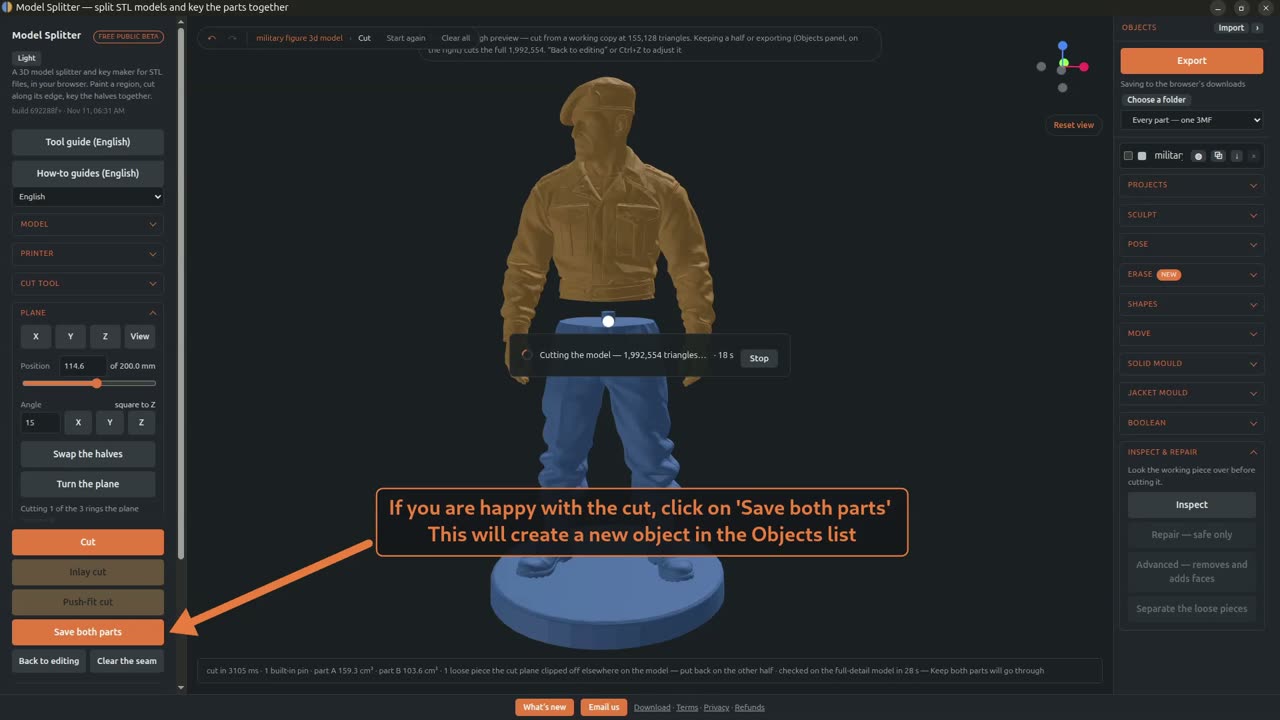
Two minutes, start to finish: open a model, repair it, reduce it so cuts are quick, cut it with the Straight line and Plane cut tools, and export the keyed parts.
In the video
- Opening and repairing the model
- Checking the repair results
- Size and Reduce for cutting
- Straight line cut, from A to B
- Cut and key
- Plane cut
- Picking the band to cut
- Save both parts
- Export
Reduce for cutting only lightens the working copy. When you save or export, the parts are cut again from the full-detail model, so nothing is lost.
Next: Band and Rope cuts, for putting the seam in a fold or along a panel line.
Try it on your own model
Straight line and Plane cut are free. It runs in your browser, and the model never leaves your computer.
Open Model SplitterTool guideNo model yet? Make one from a photo or a prompt with Tripo AI, then split it here. (An affiliate link: we earn a commission if you subscribe.)